


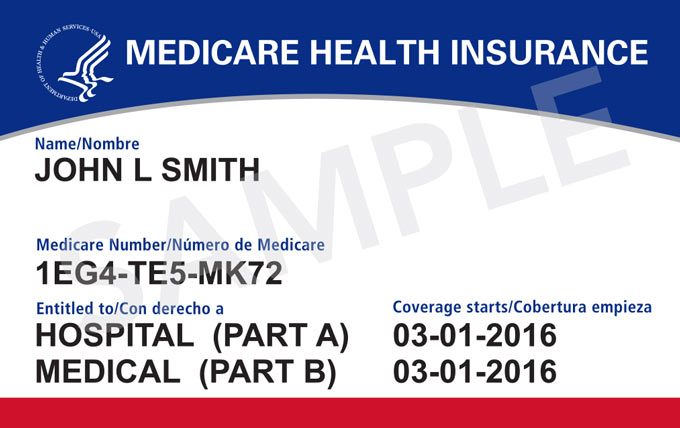
March 4, 2026 - On Tuesday, the Centers for Medicare & Medicaid Services (CMS) released Medicare.gov Enhanced Login options. By providing people with Medicare these options, Medicare.gov is helping users better manage their health care information by delivering more login choices. People with Medicare do not need to create an account to access general Medicare information or their individualized Medicare information. If someone chooses to create an account, Medicare is providing new and free options with enhanced security to help protect their Medicare information.
Enhancements
When someone with Medicare creates a new Medicare.gov account — or verifies their identity — they can choose to log in using one of these services with enhanced security:
- ID.me: 24/7 live chat support.
- CLEAR®: Provides customer support to assist with verification questions.
- Login.gov: Offers in-person verification options and customer support to help you through the process.
These services are already used by other federal agencies like the Social Security Administration (SSA), Internal Revenue Service (IRS), and the Department of Veterans Affairs (VA).
The login improvements will better protect beneficiaries from fraud and identity theft. These services:
- Verify that you are really you
- Add extra security to your account
- Meet strict federal security standards
- Help prevent someone else from accessing your Medicare information
There is no cost to create or use any of these services for Medicare.gov login. People with Medicare who already have Medicare.gov online accounts can still choose to log in using existing credentials at this time.
Technology
It is not necessary to own or use a smartphone to utilize the improved Medicare.gov login options. People with Medicare can:
- Verify identity in person at certain locations (ID.me and Login.gov)
- Get help over the phone
- Use public computers (like at a library)
Required identification documents
Medicare beneficiaries do not need to have or use a driver's license or REAL ID. They may use:
- A state-issued photo ID
- A U.S. passport
- Other accepted U.S. documents (ID.me may accept additional documents)
Each service explains which documents they accept.
Assistance options for Medicare beneficiaries
Each Medicare.gov login service offers help, including:
- Live chat
- Phone (CLEAR®, Login.gov)
- Video call assistance (ID.me)
- In-person verification options (ID.me and Login.gov)
- Immediate assistance needed, loss of access to account or service outage, call 1-800-MEDICARE
Medicare beneficiary account information protections
A Medicare beneficiary’s information is safeguarded through:
- Strict federal security standards (National Institute of Science and Technology (NIST) and Federal Risk and Authorization Management Program (FedRAMP)).
- Encryption and multi-factor authentication.
- Regular security testing and monitoring.
- Immediate notification if there is suspicious activity.
It is important to note:
- Medical information stays with CMS.
- Identity verification information is stored separately by the service the beneficiary chooses.
- These companies are not allowed to sell your data.
Facial recognition one-time requirement
Facial recognition may be used as a one-time identity check by some services, like showing an ID in person. Facial recognition is:
- Used only to verify your identity;
- Not used for surveillance or tracking;
- Permission is required; and
- You can choose a government-run option (Login.gov) if you prefer.
What Languages Are Available?
- Medicare.gov information is available in English and Spanish.
- 1-800-MEDICARE offers interpreter services in over 200 languages.
- Identity services may offer additional language options.
Source: CMS
